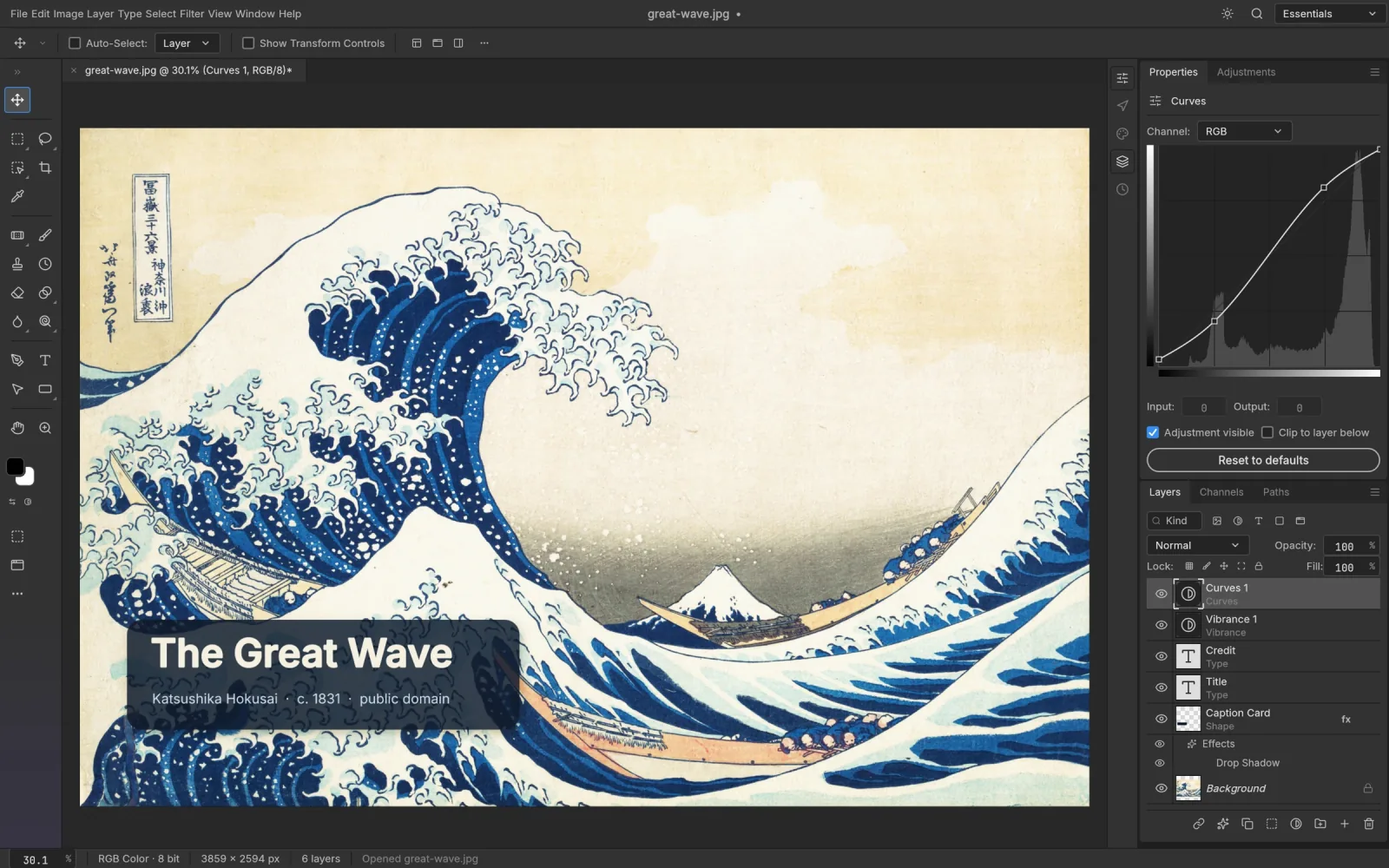
What PhotoCraft is
PhotoCraft is a clean-room, Photoshop-style image editor written entirely in Rust by the ArtCraft team and its contributors. It is released under the MIT and Apache-2.0 licences. The same code runs as a native app on macOS, Windows and Linux and, compiled to WebAssembly, in a browser.
A few things set it apart:
- One command engine. Every menu item, tool and dialog calls a command from a registry of several hundred, so the editor can be scripted as easily as it can be clicked.
- A GPU compositor. The canvas is drawn with WebGPU, with WebGL2 as a fallback.
- Its own PSD reader and writer, built from Adobe's published specification and tested against a large collection of real files.
What PSCraft adds
Hosting, and nothing else. We take the official web release, serve it compressed from a content delivery network so it loads quickly, and surround it with guides. The editor code is untouched.
That means you get PhotoCraft the moment you open the editor, with no Rust toolchain and no build step.
How finished is it?
PhotoCraft describes itself as early alpha, and that is worth repeating. A large part of Photoshop's feature set is present in some form, yet the project doesn't claim to replace Photoshop for daily professional work. The main gaps are generative AI features, a number of tools that aren't written yet, depth in typography, and plug-in compatibility.
For opening PSDs, retouching, colour correction and compositing, it is already useful. Expect rough edges and save often.
Web build or desktop app?
In the browser (here): nothing to install, works on ChromeOS and locked-down machines, files stay local. No autosave, two built-in fonts, and document size is limited by browser memory.
The desktop app: native speed, your system fonts, autosave with crash recovery, and a command-line tool for batch work. Installers are on PhotoCraft's GitHub releases page.
Credit
The editor is the work of PhotoCraft's authors. PSCraft is an unofficial host and is not produced, sponsored or endorsed by the ArtCraft team. If you find the editor valuable, the project's repository is the place to star it, report issues and contribute.